Most small businesses assume their data is backed up. And in many cases it is — to a point. The question is whether those backups are actually useful when something goes wrong. In this article I want to walk through what cloud CRM and ERP backups do and do not protect against, and how you can find out quickly whether your data would actually be recoverable.
Your CRM is in the cloud — so why do you need backups?
This is the most common thing I hear. Cloud platforms like Zoho, HubSpot, Pipedrive and others take excellent care of their own infrastructure. Their servers are redundant, their uptime is high, and the risk of the platform itself losing your data is genuinely low.
But that protection does not extend to what you or your team does inside the system.
Here are some everyday scenarios I have seen cause real data loss:
- An import goes wrong and overwrites contact records with blank or incorrect data.
- A workflow or automation runs with an error and deletes a set of records it was not supposed to touch.
- A staff member leaves and, before going, bulk-deletes their pipeline or contact list.
- A configuration change cascades and corrupts related records.
- A third-party integration updates records incorrectly after an API change.
None of these are covered by the platform's own restore. They are user-level events, and recovering from them without an independent backup can mean hours of manual reconstruction — if recovery is possible at all. Good backup and restore is part of managing your CRM or ERP
What does a useful CRM or ERP backup actually need to do?
In my experience, a backup that you can actually rely on does three things:
• It captures data at a specific point in time. A daily backup means your worst-case loss is one day's worth of changes. For many businesses that is acceptable. For some it is not, and more frequent snapshots are worth considering.
• It is stored independently of the system it is backing up. An export saved inside the same cloud account is better than nothing, but if that account is compromised or misconfigured, you lose both. I always recommend a truly separate external location.
• It is actually restorable. This is where I see the most problems. A backup file that exists is not the same as a backup that works. If you have never tested a restore, you do not yet know whether your backup would hold up when you need it.
Some platforms offer data export rather than a true restore capability. That can work for straightforward contact and deal data, but for ERP systems with inventory, purchase orders, supplier records and accounting links, an export alone is often not enough to recover cleanly.
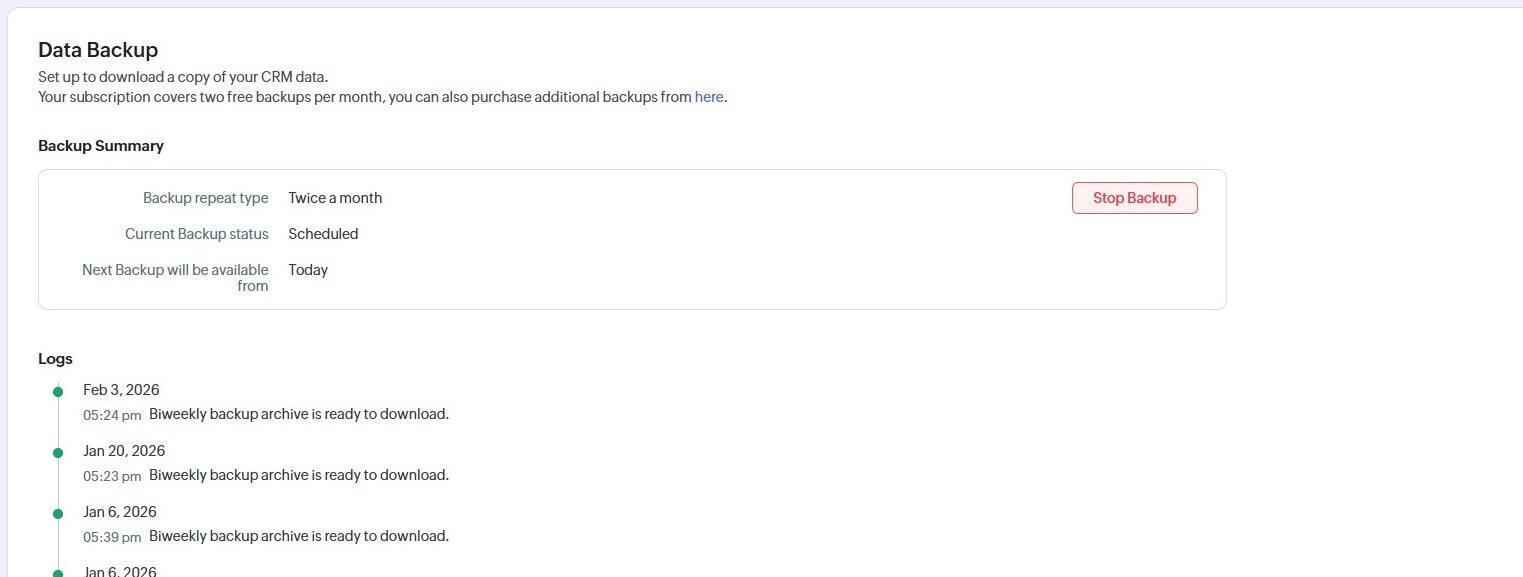
Zoho has a CRM Data Backup page. Use it for starters!
- What needs attention - Manual download!
- What could be bad - No Restore!
NB:If YOUR's is not set up for at least the minimum DO IT NOW! Make a regular task to save it to somewhere safe!
The gaps I most commonly find
When I review a backup setup with a new client, the issues that come up most often are not about whether a backup exists. They are about the details around it.
No restore test has ever been run.
The backup runs daily, but no one has checked whether the output can actually be used to restore records into the live system. This is the single most common gap I find.
No one knows who can delete data — or who has.
Access controls are often set up at implementation and never reviewed. By the time a problem occurs, it can be genuinely difficult to trace what happened and who did it.
There is no independent copy.
The backup exists, but it is stored inside the same platform or account. A separate external copy is what gives you a genuine safety net.
No one is specifically responsible for checking it.
Backups are set up once and then forgotten. Without a regular check — even monthly — a silently failing backup job can go unnoticed until the moment you need it most.
There is no plan for recovery.
Even businesses with solid backups can lose significant time in a data loss event if no one has thought through who does what, in what order, and how long it should take.
Why I built my CRM SafeKeep backup service.
Yes here is my service promo: CRM SafeKeep is my backup monitoring service for small businesses using cloud CRM and ERP systems. I built it because I kept seeing the same pattern: businesses had a backup running, but no one was checking it, no one had ever tested a restore, and when something went wrong there was no one to call who already knew the system.
The way it works is straightforward. A mix of time specific automated backups along with manual backups where required, runs to a secure external location. Each month* I manually check that the backups are completing correctly, that the data looks right, and that a restore would succeed. I also run my own error reporting as part of the backup management for early spotting of potential issues. If something goes wrong — a corrupted file, a failed job, an unexpected data event inside the CRM — you have someone to call who already knows your setup.
It is not a software product. It is a backup service with a personal touch. The difference matters, because what most businesses are missing is not another tool — it is the person who keeps an eye on things and knows what to do when the unexpected happens.
My CRM SafeKeep service is available for most CRM/ERP systems (e.g. Zoho CRM, HubSpot, Pipedrive, Sage X3 and NetSuite) because each, like your business processes, has its own set of backup requirements. Monitoring plans start from £59 per month. You can find full details on the service page. *or other agreed timeframe.
Find out where you stand — in about two minutes
I have put together two short self-assessment backup audits to help you get a quick picture of your current backup position.
You get back a simple risk summary — High, Medium or Low — with a note on the areas worth looking at. There is no obligation attached to it. It is just a useful baseline.
If the results flag something worth investigating further, there is also a more detailed Backup Gap Finder form as a follow-on. That goes a level deeper: your specific systems, how long you have been using them, whether you have ever had a data loss or near-miss, and whether you know who in your team has deletion access.
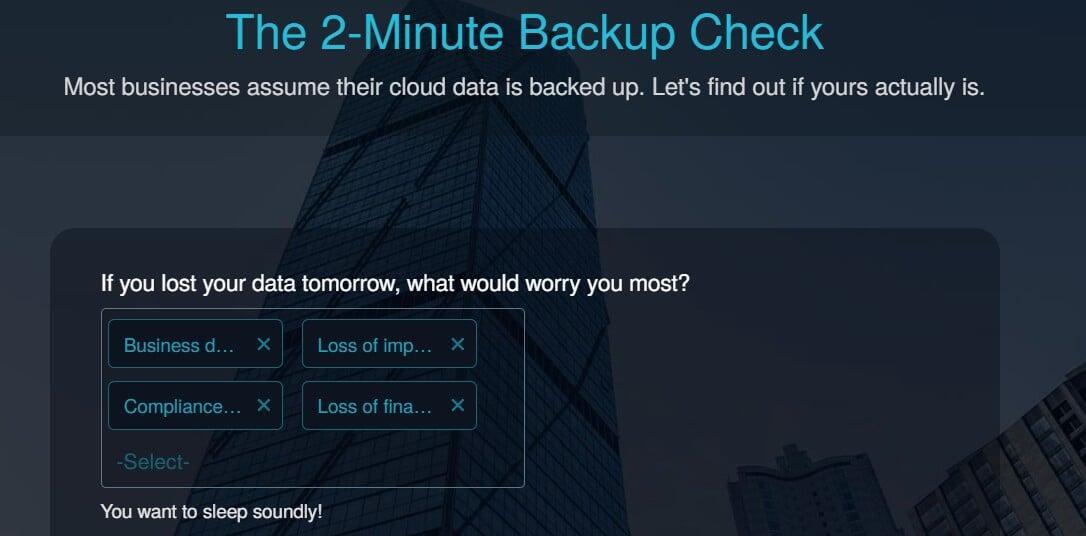
Is your data protected?
Take the 2-Minute Backup Check — If you want to go deeper, the Backup Gap Finder follows on from there.