About Me — Small Business Technology Adviser
I help small businesses get more from their technology — their systems, their data, and AI.
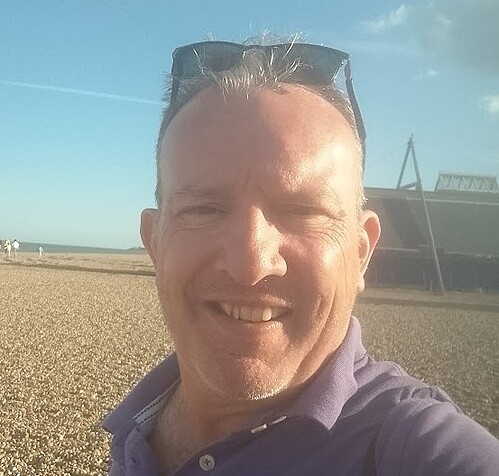
When people ask me what I do, I usually say "I move data and help sort systems." It's accurate — but it doesn't really capture it.
What I actually do is act as a technology officer for small businesses. Larger companies have a CTO for this — someone who looks across the whole picture: systems, data, processes, AI — and helps make sensible decisions about all of it. Most small businesses never get that. I fill that gap, and unlike a traditional CTO , with many staff, I'm hands-on as well as strategic. I just get on with it.
I've spent over 25 years implementing, migrating and managing business systems — from large ERP platforms down to the CRM and finance tools that small teams depend on every day.
I'm a Zoho Authorised Partner with over 20 years on the platform, and I work across Pipedrive, HubSpot, NetSuite, Sage, Xero and others — so whatever your stack looks like, I've probably worked with it.
That background matters for a simple reason: most technology problems in small businesses aren't always technology problems — they're data and process problems wearing a technology costume. Messy imports, missing backups, automations nobody understands, systems that don't talk to each other. I've seen every version of this, and I know how to fix it.
I'm based in coastal Suffolk and work with a small number of UK businesses directly.
How I work with small businesses:
I take a practical, stepped approach — starting where the risk is highest and building from there, subject to what a business has in place already:
1. Protect your data — Independent CRM/ERP backup and restore, so you're never one bad import away from losing your pipeline.
2. Maintain your system — Ongoing admin support to keep your CRM clean, configured and actually used by your team.
3. Get AI working for you — Practical AI integrations built into the systems you already have — no big projects, no wasted budget.
If you want to understand if you need help, the best starting point is one of my free tools:
Run the free 2-Minute Backup Check →
Run the free 5-Minute CRM Health Check →
Run the free 5-Minute AI Action Plan →
Run the Are Your Ready? Data Migration Checker →
Or if you'd rather just talk: Contact me →
If you want to understand if you need help, the best starting point is one of my free tools:
Run the free 2-Minute Backup Check →
Run the free 5-Minute CRM Health Check →
Run the free 5-Minute AI Action Plan →
Run the Are Your Ready? Data Migration Checker →
Or if you'd rather just talk: Contact me →