The Month-End Invoicing Fix
I Should Have Built Years Ago
I build automations for other businesses for a living. My own month-end invoicing was still largely manual. Here is what I built to fix that — and what I learned along the way.
I kept putting it off!
I'll be straight with you. I build Zoho and other automations for businesses as part of my work— yet my own month-end invoicing, especially for time recorded tasks, was partly a manual mess, until recently.
Scattered time entries. Copy and paste. The occasional missed billable hour I only noticed too late. I kept intending to sort it, but never quite got to do it, well until now.
My Problem With Ad-Hoc and Scheduled Time Billing
If all my clients were on fixed monthly retainers with no variable element, invoicing would be straightforward. I'd set up recurring invoices in Zoho Books and be done, as they get automatically created each time period I need. Checked by me at the time of setup, job done - that's it great!
The difficulty can come with time billing — whether that is scheduled regular work or ad-hoc tasks that come up throughout the month.
Either way, you can end up with time entries spread across multiple tickets and clients, none of them naturally grouped ready for a tidy invoice.
By the end of the month that manual process of pulling it all together, certainly for me, became much more time-consuming and error-prone than it should have been.
It was easy to miss a billing item. Realising it after sending a month end invoice , aside from frustrating me no end, I lost potential income, and those small amounts add up over a year!
Zoho Books and Zoho Desk, tools I use, allow you to streamline and improve your invoicing processes out of the box .
You can generate an invoice directly from a Desk ticket and it's created in Zoho Books for the respective client, pulling in all the time entries either grouped or listed.
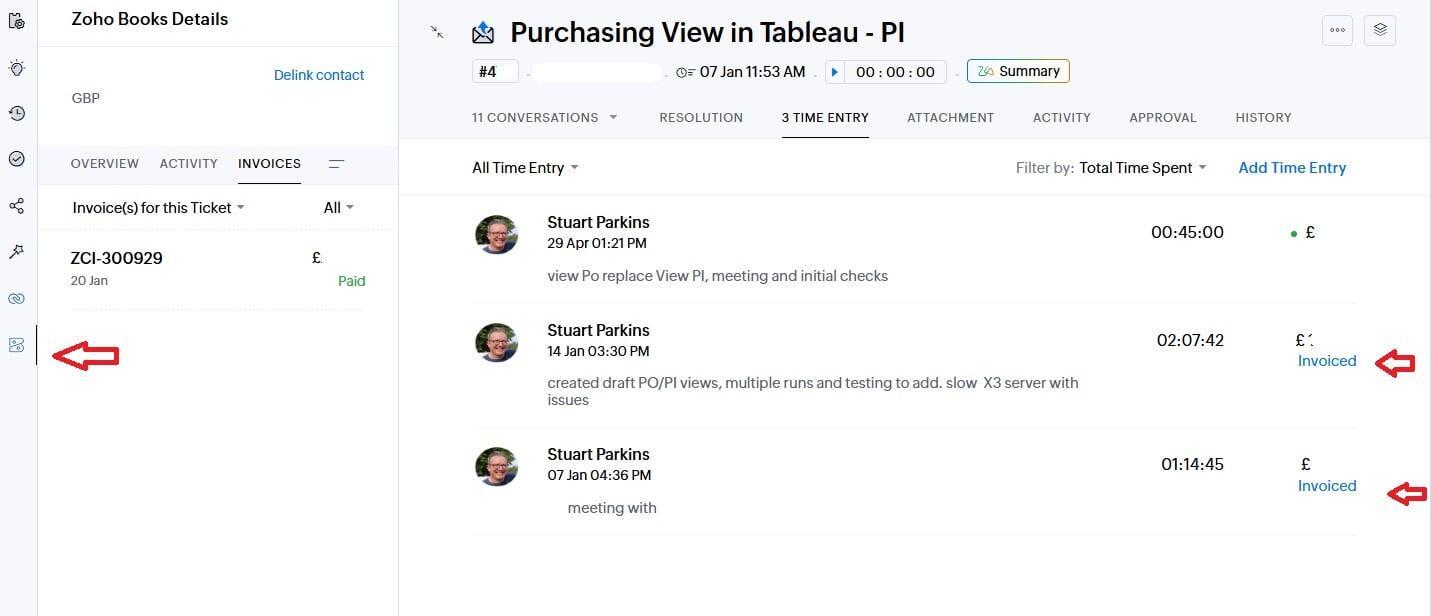
It is a genuinely very useful feature, that I employed often.
But when time entries are spread across many different areas — not sitting under one clean desk ticket — that manual process proved slow.
Also if you have service or consultancy items that you really want to add on top, as I did, to send the customer one neat invoice then that gets more complex.
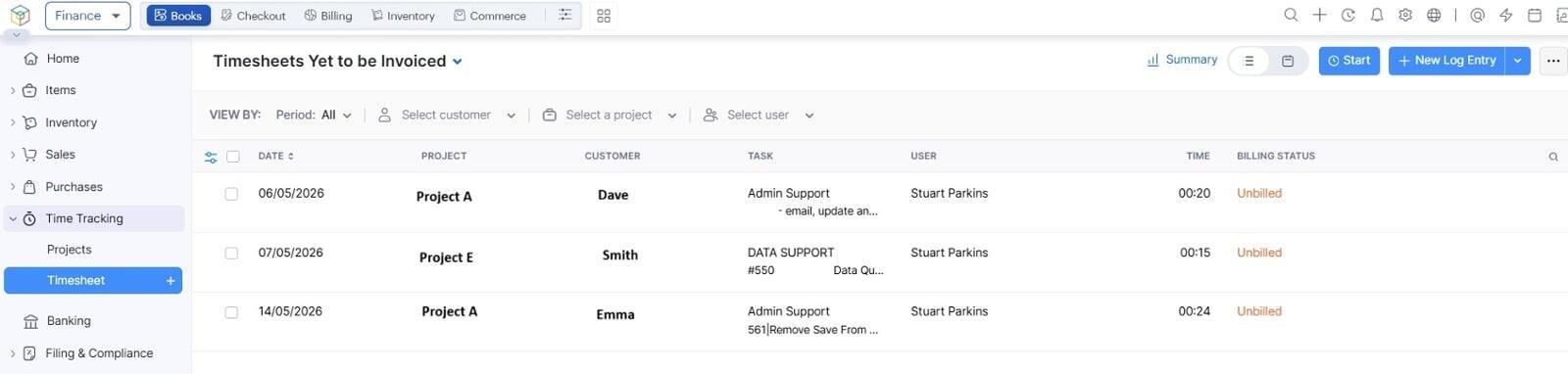
The difficulty comes where I had a lot of spread-out time entries across many different areas — it helps to push these into a project-based timesheet in Zoho Books and then create a draft invoice from that, with tier items added where they apply.
What I built from my Zoho Apps
The solution uses four components from the Zoho stack, connected by a custom function and Zoho Flow:

I manage my work task requests and add time entries here in support tickets.

I manage my invoicing and accounting here, and have timesheets per project per client.


Step 1 — Time entries flow from Desk to Books automatically
When time is logged against a Zoho Desk ticket — whether that is a scheduled piece of work or something that came up on the day — a Zoho Flow automation picks it up and pushes it to the correct client project timesheet in Zoho Books.
This happens in near real-time, or can be scheduled, so the Books timesheet stays current throughout the month. No manual transfer. No month-end scramble to remember what was logged where.
Step 2 — A custom Deluge function and some custom fields handles the logic
Zoho Books and Zoho Desk have inbuilt automation capabilities which I could have used (Workflows allowing functions), but for me, were limited for what I wanted in this kind of grouped, multi-app operation, especially as I wanted it sitting in my Zoho Flow dashboard with other long overdue time savers.
A main custom Deluge function sits inside Zoho Flow to handle the more complex logic: identifying which time entries belong to which client, grouping them correctly, and preparing them for invoicing.
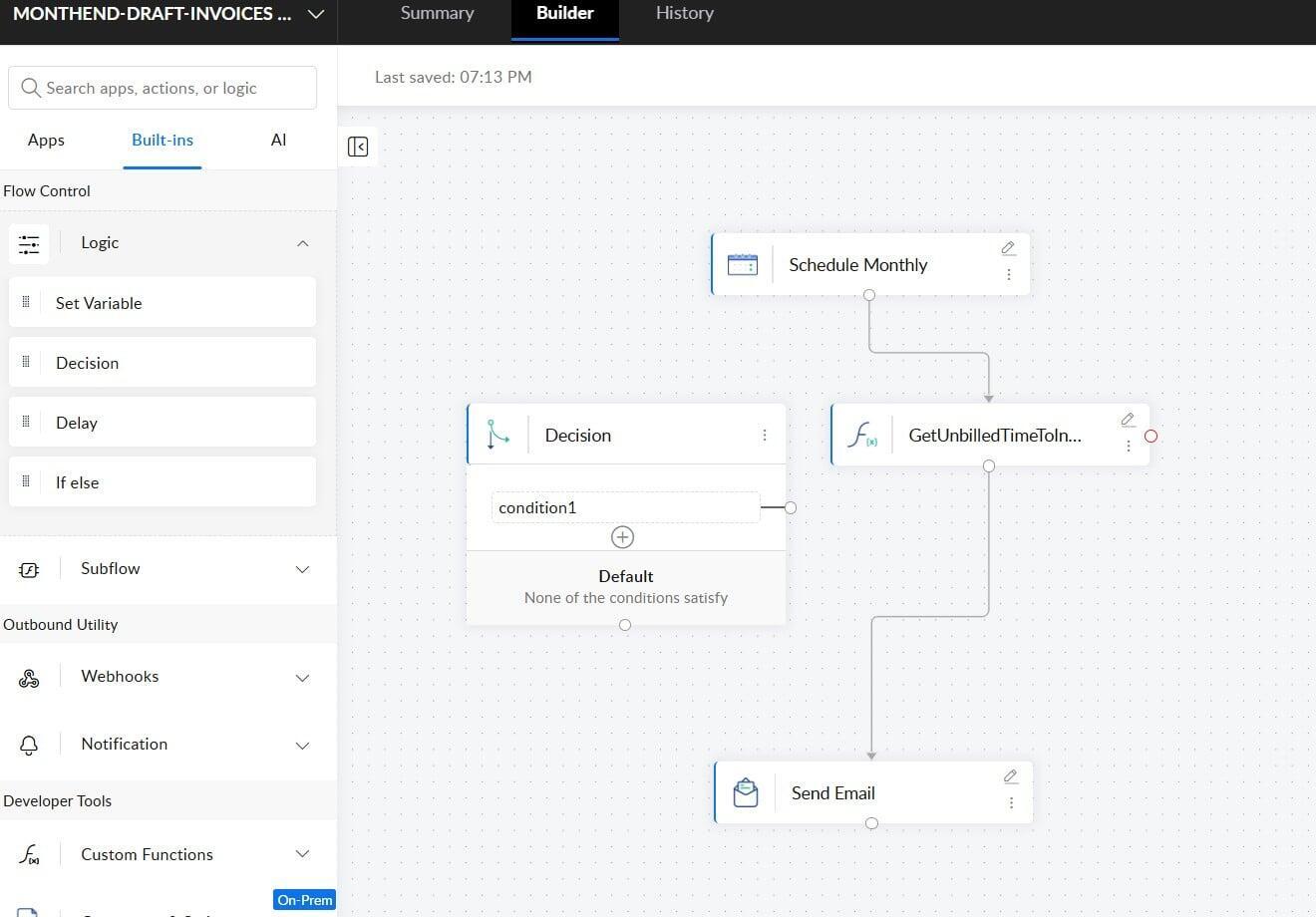
Step 3 — Draft invoices are created at month-end, with tier items included
At the end of each month the function runs and creates draft invoices in Zoho Books — one per client with billable time where required. Where a client also has regular services such as my backups or my crm admin services applicable that month, those are added to the same invoice if that's what I and the client want.
Everything lands together, ready for review, rather than needing to be assembled by hand.
The draft invoices sit in Books waiting for a check before I send anything. That human review step is intentional, it's my current choice — automation handles the build and I give the draft invoices a once over.
Keep It Simple First
A word on my preferred approach, because this is something I feel strongly about.
Keep it simple to start when automating. Also it needs to be relevant to you, one companies billing process can be very different to another.
If you look at other excellent API automation platforms like Make or N8N, you can build extraordinarily complex , amazing flows. You have seen them shared on LinkedIn I'm sure— branching logic, error handling paths, conditional routes, AI and much more for every conceivable scenario.
And there is a temptation, (I know I used to be guilty of it ), when you sit down to automate something, you try and solve every edge case from the start.
My approach now is simple. Pick one task. Automate it. Test it. Improve it. Move On.
The bells and whistles can come later, once you know the core flow actually works in practice and delivers you real value in time saving, cost or convenience.
The goal for me above was not perfection — it was getting the unnecessary manual effort of sorting my time entries into neat month end invoices, out of my hands, using a basic automation stack. Yet still with a watchful eye.
This invoicing automation started simple and it still is, broadly speaking. That is not a weakness to me — it is what makes it reliable for me.
Now time permitting, I can build on that foundation and improve the flow, if I really need to!
What if I don't have Zoho?
If you have other software such as Xero and Quickbooks for accounting, and another ticket recording system, or other combinations of software - you can create something similar and would have your custom functions likley within chosen software connector. I'd be happy to take a look.
What It Saves Me
The honest answer is several hours a month. It does not set the world alight but contributes by giving me time for something else more productive. If I was an organisation (rather than a small solopreneur business) with many staff, logging tickets and time, this would work just as well and save more time.
The saving comes from two places: the ongoing effort of keeping the Books timesheet current throughout the month, and the month-end process of grouping entries, adding tier items, and building invoices by hand.
Neither task was enormous on its own, but together they added up — and I did miss time entries when looking at csv exports and copy pasting into manual invoice lines.
Now the timesheet stays current automatically. Month-end is a review task, not a build task. I can edit if needed still but with a lot less work.
Where is the AI, I hear you say?
This automation is deliberately non-AI. AI is powerful but no need to use it if you don't need it! But there are some interesting open questions about where AI could genuinely add value here and where you want to use it.
Could it intelligently pick up which time entries belong to which client or project, especially where those lines are blurry? Could it handle more complex multi-project scenarios that the current logic does not cover cleanly? Might it suggest which service level items to include based on the work that was actually done that month, rather than relying on a fixed rule?
I build AI automations and yes AI could be added but do I need it? We shall see...
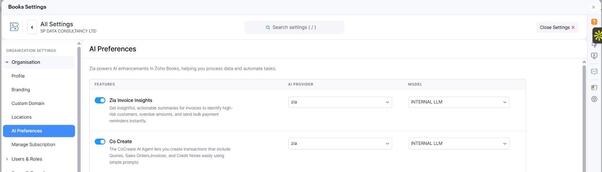
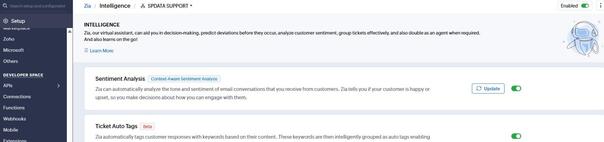
If you have paid Zoho software already (see CRM article), you will see ZIA popping up in various areas if enabled. In both Books and Desk you can enable (subject to paid version) different inbuilt AI tools such as CoCreate and Invoice insights, in Desk you can use Zia Intelligence and sentiment as well as Generative AI to help support agents.
From my resource "Your AI Pathway" stage 2 is using AI in the tools you already have, check it out and decide what tasks it can help you with.
Also if you use tools such as Claude, Zoho offers an MCP connector which means you can work with your Zoho software from your Claude chat.